

Sites reaching each other
Let machines at one office reach machines at another, including ones that cannot run the agent. One routing device per site, no tunnel per pair, no public address.
What you will achieve
Machines in one office reach machines in another, including ones that will never run the agent. Adding an office does not touch the ones already working.
Each site runs one routing device. Access rules decide which site reaches what, one direction at a time.
When to use this
Use this when two or more places need each other:
- A head office and branches that share a file server or an ERP.
- A data centre plus the offices that use it.
- A factory whose systems are read from a central site.
- Sites joined today by site-to-site VPN tunnels you are tired of maintaining.
Only one site, reached by laptops? On-premises sites is that guide, and this one builds on it.
What you need
The rows marked Required are all you need.
| What | Why | |
|---|---|---|
| Required | The Owner or Admin role in the dashboard | For the enrollment keys |
| Required | Every site's subnets, written down together | To prove none collide. Step 1 |
| Required | One always-on Linux host per site, on its LAN, with iptables or nftables and root | The site's routing device: it carries traffic for the machines without the agent |
| Required | Access to the LAN gateway of every site whose machines must reach another site, or to those machines themselves | One static route to the routing device |
| Required | A machine without the agent on one of those LANs, to test from | The proof that the setup works |
| Optional | A second host per site | Redundancy, with a metric |
Before you start
Each site publishes itself. The rules sit in the middle.
The steps build one direction: Frankfurt's machines reach one database in Munich, and Munich reaches nothing in Frankfurt. How it works, the reverse direction and a third site are under Advanced configuration.
Setup
- 1
Write down every subnet and every direction
Before touching the dashboard, write down two lists:
- Every site's subnets. No two may overlap: a client asked for
192.168.1.0/24cannot tell which site you meant. Publishing single machines does not get around it; renumbering does. Include your organization's tunnel range, a /16 inside100.64.0.0/10: the Address row ofsxaccess infoshows it once a device has joined. - Which site reaches what, one sentence per direction. Frankfurt reaches the Munich database. Munich reaches nothing in Frankfurt. Each sentence becomes one access rule.
Why first: a collision is cheap to fix now and expensive at the third site.
- Every site's subnets. No two may overlap: a client asked for
- 2
Enrol a routing device at each site
At each site, pick one always-on Linux host on the LAN with iptables or nftables. The agent rewrites addresses with them and turns IP forwarding on by itself.
Create its key in Access › Enrollment keys › Create enrollment key:
- Name -
router-muc. - Make this key reusable, Temporary devices, Allow Extra DNS Labels - off.
- Expires in -
1day. You use the key in a minute. - Auto-assigned groups - type
site-mucand press Enter: the group is created, and the host joins it as it enrols.
Press Create enrollment key and copy the key: it is shown only once. Then open a terminal on the host. Run the block in bash or zsh, as root. Paste the whole block and press Enter once. When
Enrollment key:appears, paste the key, and only the key, and press Enter. The key is not shown, and an empty line asks again. The key file is removed at the end, whether or not the join worked. If you stop the block with Ctrl-C, remove it withrm -f /run/secrets/sxaccess-key.You see:
This device is now connected, thensxaccess infostarting withConnected, and the host under Devices insite-muc. Repeat in Frankfurt with the keyrouter-fra, the groupsite-fraand the hostnamerouter-fra-office.curl -fsSL https://pkgs.sxaccess.com/install.sh | sh{ install -d -m 700 /run/secrets install -m 600 /dev/null /run/secrets/sxaccess-key KEY='' until [ -n "$KEY" ]; do printf 'Enrollment key: '; read -rs KEY || break; echo; done [ -n "$KEY" ] && printf '%s' "$KEY" > /run/secrets/sxaccess-key && unset KEY && sxaccess start --enrollment-key-file /run/secrets/sxaccess-key --hostname router-muc-office && sxaccess info rm -f /run/secrets/sxaccess-key} - Name -
- 3
Munich: publish the database, its rule and its routing device
Networks › Internal networks › Add internal network: Network Name
Munich office, then Add Network. Three forms follow:- Add Resource - Name
Munich database, whichsxaccess reach listshows. Address10.20.0.15. Destination Groups: typemuc-databases, press Enter. Then Add Resource. Publish the service, not the whole site. - Create access rule - the destination is already
Munich database. Picksite-fraas the source, then TCP. Click the ports field, type5432and press Enter: the field shows 5432 instead of All. Then Create access rule. The source is Frankfurt's routing device, because that is the device Munich sees. - Add Routing Device - pick
router-muc-office, then Continue. Leave Masquerade on, so the database needs no route back, and press Add Routing Device.
You see: the
Munich officerow shows1 resource,1 deviceandsite-fra. Frankfurt's routing device now reaches the database; its LAN needs steps 4 and 5. - Add Resource - Name
- 4
Frankfurt: publish its own subnet
Create
Frankfurt officethe same way. Its machines reach Munich only if their routing device serves their subnet with Masquerade on: it then gives their traffic its own tunnel address, which Munich admits.- Add Resource - Name
Frankfurt LAN, Address10.30.0.0/24, Destination Groupsfra-lan. - Create access rule - source
site-fra, any protocol. A resource is served only once a rule names it. This one opens nothing new:site-fraholds only the routing device, which is on that subnet already. - Add Routing Device -
router-fra-office, Masquerade on.
You see:
sxaccess infoon Frankfurt's routing device lists10.30.0.0/24under Networks. Publish every Frankfurt subnet whose machines should reach Munich. - Add Resource - Name
- 5
Point Frankfurt's LAN at its routing device
Frankfurt's machines still send Munich's addresses to their usual gateway. On that gateway, add a static route for exactly what Munich publishes, via the routing device's LAN address: here
10.20.0.15/32via10.30.0.2. Route nothing else; the routing device could only send it back.The routing device answers the machine directly, bypassing the gateway. If the gateway is a firewall that drops such connections, or you cannot change it, add the route on each machine instead, on Linux with the first block after these steps. Put it in the machine's network configuration too, so it survives a restart. Munich needs no route back.
If ufw or Docker runs on Frankfurt's routing device, also allow forwarding from its LAN interface into the tunnel: both drop forwarded traffic by default. Run the second block after these steps there with ufw, the third with Docker;
eth0stands for the LAN interface.You see: a machine in Frankfurt reaches the database, as in Verify.
sudo ip route add 10.20.0.15/32 via 10.30.0.2sudo ufw route allow in on eth0 out on sx0sudo iptables -I DOCKER-USER -i eth0 -o sx0 -j ACCEPT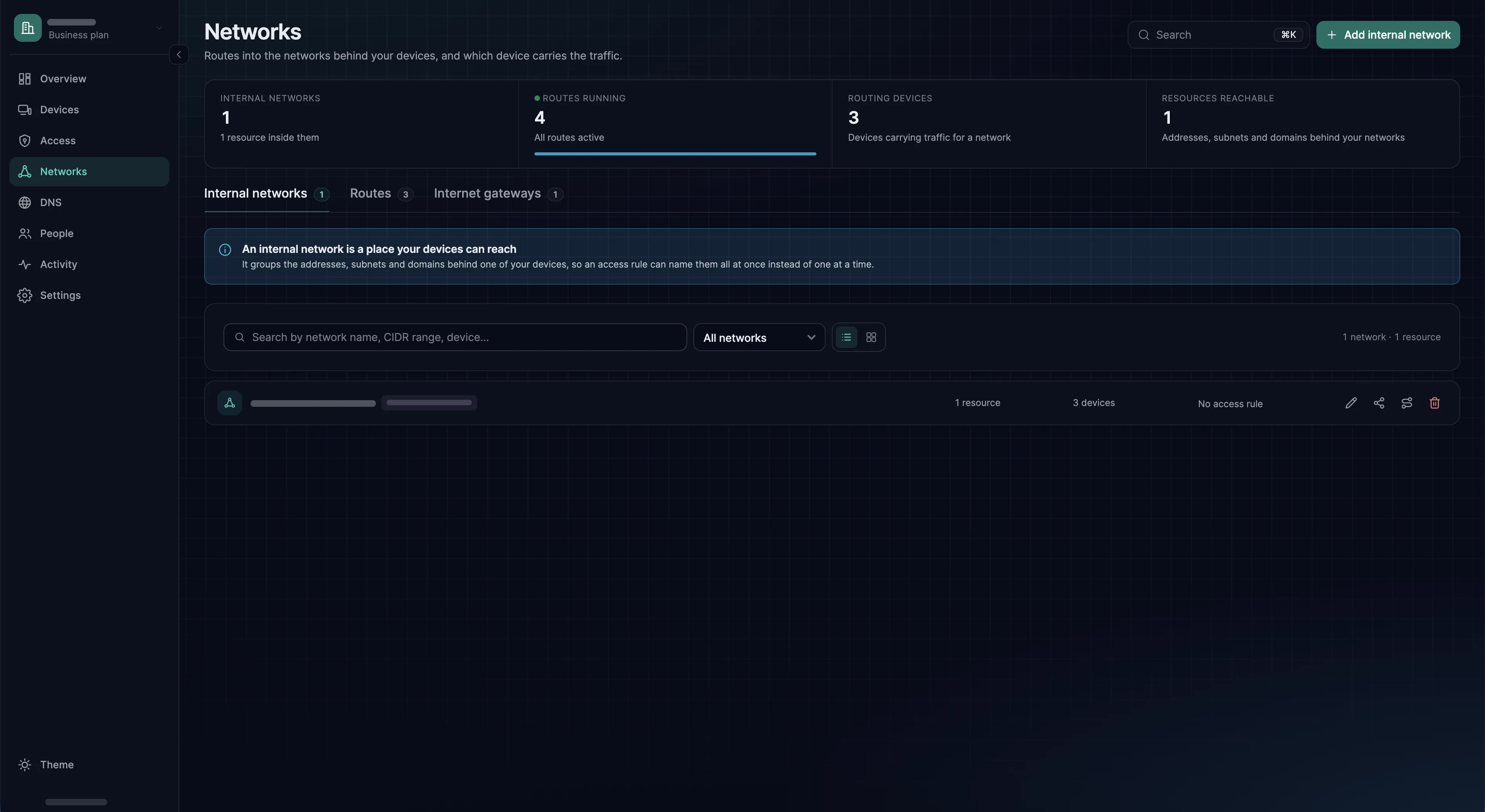
Verify
Test from a machine on Frankfurt's LAN that does not run the agent: that is what this setup is for.
Expected result
From that machine, nc -vz -w 5 10.20.0.15 5432 connects to the Munich database. On Frankfurt's routing device, nc -vz -w 5 10.20.0.15 22 times out: no rule names port 22.
Then check the direction you did not grant
On Munich's routing device, sxaccess reach list prints There are no networks to show. No rule lets site-muc reach anything.
If it does not work
Run the commands below on Frankfurt's routing device. You see: 10.30.0.0/24, the subnet it serves, under Networks; Munich's routing device with a Path and Reaches: 10.20.0.15/32; Munich database with state: Selected; and nc connecting. If all of this passes there but a machine behind it fails, look at the LAN side: the static route, the published subnet, the routing device's firewall.
sxaccess infosxaccess info -dsxaccess reach listnc -vz -w 5 10.20.0.15 5432Troubleshooting
With more than one site, the first row is the cause far more often than it is elsewhere.
| Symptom | Likely cause | What to do |
|---|---|---|
| The second site broke the first | Two sites publish overlapping ranges, or the same address. | List every range, the tunnel range included, and renumber one site. Step 1 |
| Frankfurt's routing device reaches the database, the machines behind it do not | No static route; Frankfurt's subnet not published, or no rule names it; or Masquerade off. | Steps 4 and 5. sxaccess info on the routing device must list the subnet under Networks |
| Same, and the subnet is listed | The routing device's firewall drops what it forwards from the LAN into the tunnel, as ufw and Docker do by default. | The ufw or Docker block after step 5 |
| One site reaches the other, not the reverse | Expected: a rule to a resource runs one way. | Build the reverse as in The other direction, under Advanced configuration |
| A routing device answers, nothing behind it does | IP forwarding was switched off after the agent turned it on, for example by a sysctl reload. | sysctl net.ipv4.ip_forward must print 1. sudo sxaccess agent restart turns it back on |
| A whole site vanished | Its routing device is off or lost its uplink. | Devices shows it offline. A second routing device avoids this |
| Slow between sites, fine within one | The routing devices are connected through a relay, usually because of restrictive firewalls at both ends. | sxaccess info -d shows Path: Relayed. See NAT and connectivity |
| Still stuck? | Take the connection apart one stage at a time. | Trace why a connection is blocked |
Advanced configuration
How a machine without the agent gets through
It takes three things. The static route (step 5) sends Munich's addresses to Frankfurt's routing device. Serving Frankfurt's subnet with Masquerade on (step 4) gives that traffic the routing device's tunnel address. Munich's routing device admits only the tunnel addresses of devices in a rule's source groups, hence site-fra as the source (step 3).
The other direction
For Munich's machines to reach something in Frankfurt, mirror steps 3 to 5 in the networks you have. Add that service to Frankfurt office with a rule from site-muc. Add Munich's subnet to Munich office with a rule from site-muc, and add the static route on Munich's gateway.
To add a resource to a network, click the network, press Add Resource, then Add Access rule in that resource's Access rules column. It is always a second rule: a rule to a resource is locked to One-way.
A third site
Repeat steps 2 to 5. Classic site-to-site VPN needs a tunnel per pair of sites, ten for five sites. Here each site joins once, needs no public address, and leaves the other routing devices as they are. An existing site changes only if its machines should reach the new one: one static route.
Redundancy per site
A second routing device takes over when the first stops answering. Clients prefer a connected routing device, then the lower Metric; it defaults to 9999, the highest, so give your preferred one a lower number. Machines without the agent follow the static route, not the failover: give the two hosts a shared address, with VRRP for example, and route to that.
Overlapping ranges you cannot renumber
There is no clean way around them. Publishing single machines does not help: the same address at two sites still collides, and a host resource overrides that address inside another site's range on every client. A Linux device whose own network contains the address always keeps that traffic local. Renumbering is the fix.
Hub and spoke, and the internet
Rules only between each branch and the data centre give hub and spoke, by choice rather than a limit of the tunnels. To send a device's whole internet traffic out through a site, use an Internet gateway.