

Device requirements
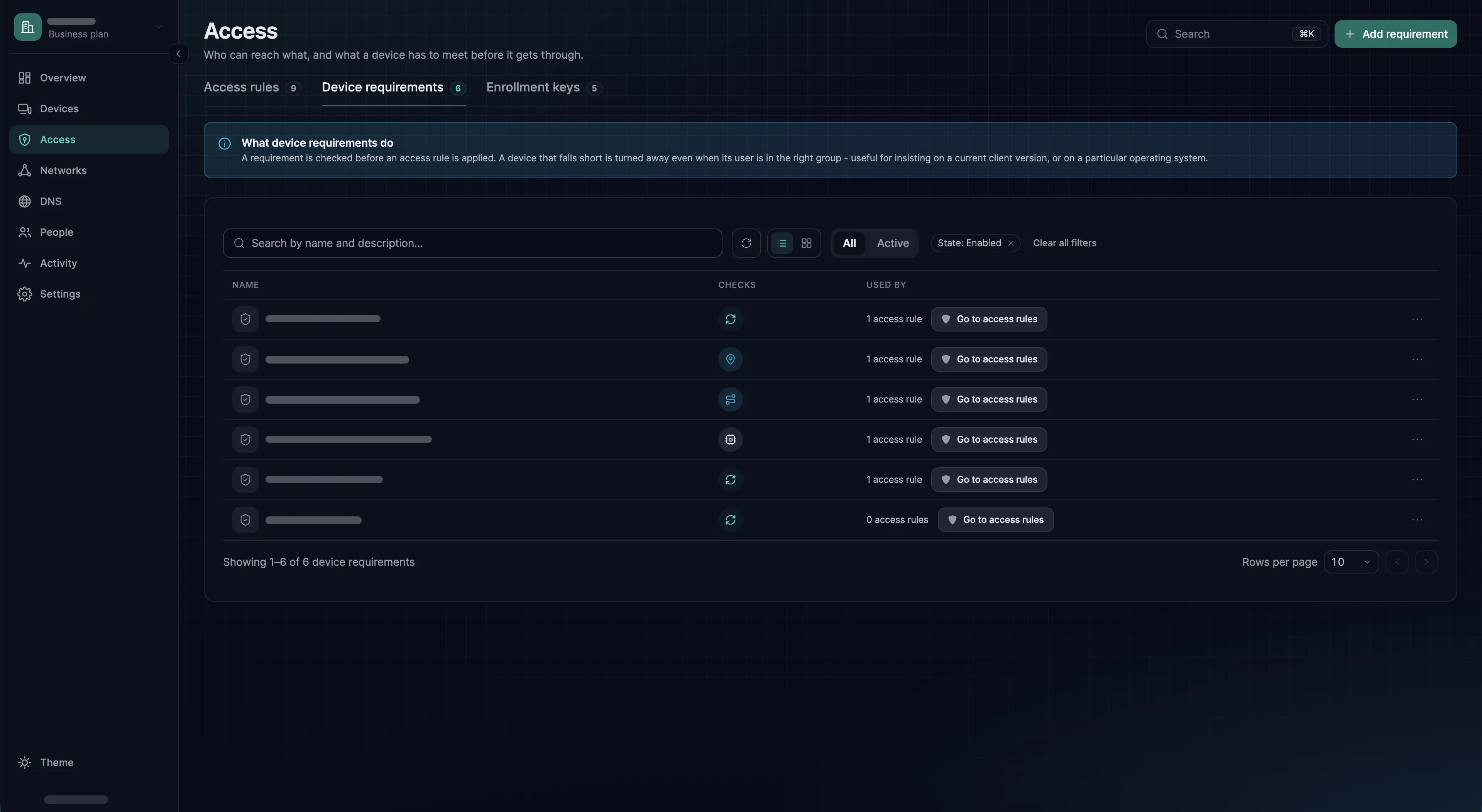
What a device must satisfy before an access rule applies to it - client version, operating system, location, local network, or a running process.
A device requirement is a reusable set of checks. Attach it to an access rule and the access rule only grants access to source devices that pass. A device that stops passing loses that access with the next update SXAccess sends it, with no change to its groups and no action from an administrator.
Requirements never block a device outright - they condition a specific access rule. A machine that fails one access rule's checks keeps whatever other access rules grant it.
A requirement that an access rule uses cannot be deleted until you have removed it from every access rule.
Creating and attaching one
- 1
Add the checks
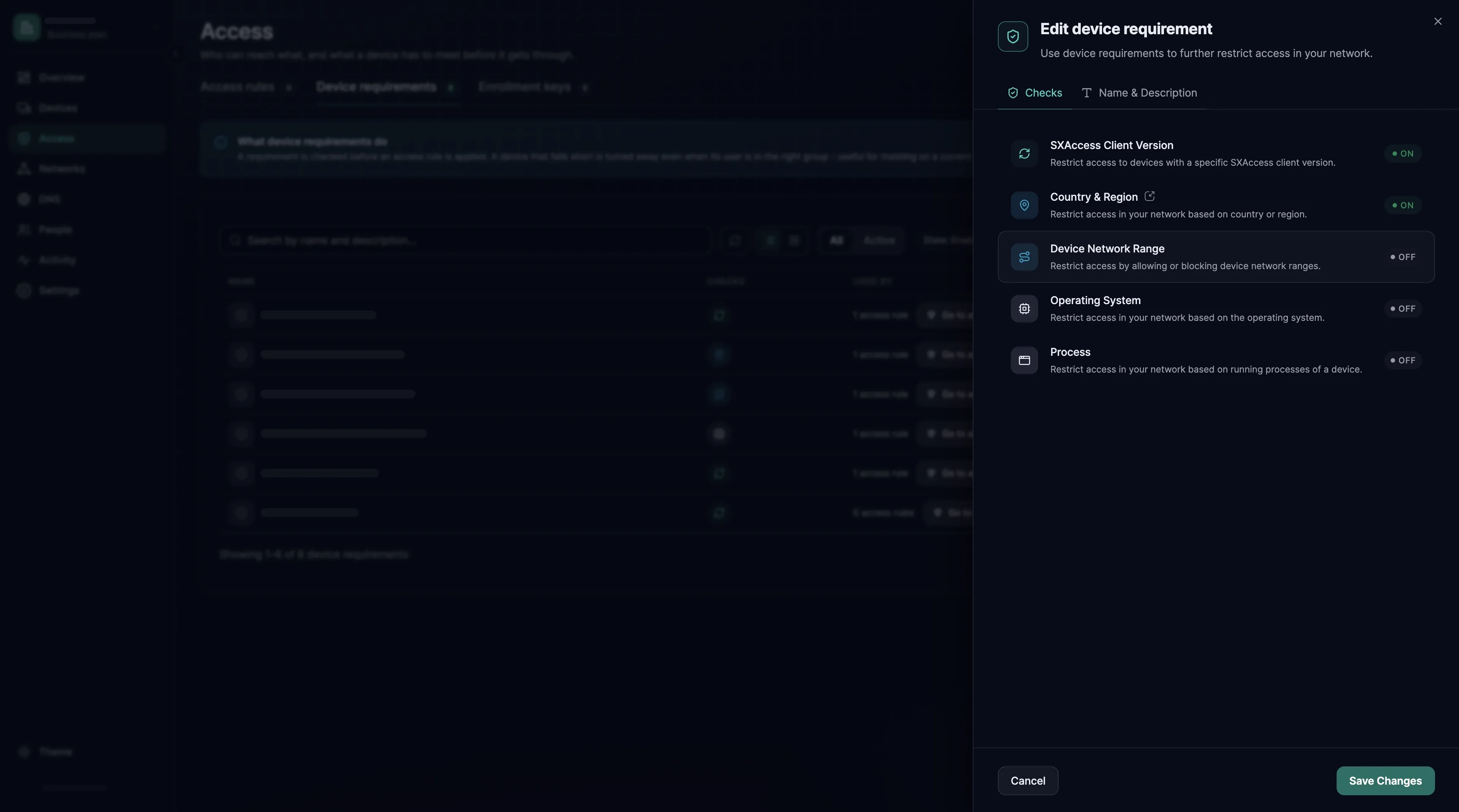
Open Access → Device requirements → Add requirement. On the Checks step, click each check you need, set it, and choose Save; its row then shows On. Choose Continue.
- 2
Name it
Under Name of the Device requirement, enter a name that says what it demands, such as
macOS 14 or later; names are unique. Add a description if it helps, then choose Create Device requirement. - 3
Attach it to an access rule
Open the access rule under Access → Access rules. In its Device requirements section, choose Browse, tick the requirement, choose Add 1 requirement, and save the rule with Save access rule. New requirement in the same section creates a requirement without leaving the editor.
- 4
Check that it applies
The Used by column of the requirements list counts the access rules that carry it. On the page of a source device that fails a check, the Accessible devices tab stops listing what that access rule reaches, unless another access rule reaches it too.
sxaccess info -don that device shows the same.
The five checks
| Check | What it evaluates | Typical use |
|---|---|---|
SXAccess Client Version (sx_version_check) | A minimum version of the SXAccess software on the device | Keep an old client with a known defect out of sensitive access rules |
Operating System (os_version_check) | Per platform, whether it is allowed and, optionally, a minimum version. macOS, iOS and Android compare the OS version; Linux and Windows compare the kernel version | Enforce a patch baseline |
Country & Region (geo_location_check) | Countries and cities, as an allow-list or a block-list | Restrict production access to countries you operate in |
Device Network Range (device_network_range_check) | The device's local network addresses against a list of CIDRs, allowed or blocked | Require presence on a corporate LAN |
Process (process_check) | Named executables are running, by path per platform | Require an EDR agent or a disk-encryption daemon |
SXAccess Client Version
The check passes when the version a device reports is at least the minimum you set. The device's page shows that version as Agent version. The SXAccess apps and the CLI agent are versioned separately, so look at what your devices report before you choose a minimum.
Anything after the first hyphen is ignored, so 1.2.3-beta counts as 1.2.3 and already meets a minimum of 1.2.3. What is left must be a plain release number, three numbers separated by dots. A device that reports anything else, such as a build named after a commit, always fails.
Operating System
In the dashboard the check has a tab for each platform (Linux, Windows, macOS, iOS and Android), and every tab starts at Allow with All versions. Choose Equal or greater than to set a minimum, or Block to keep the platform out. A platform you leave alone stays allowed.
Over the API it is the other way round: a platform you leave out is denied, not skipped. A check that names only darwin fails every Windows and Linux device the access rule applies to. List every platform you intend to allow; a minimum of 0 allows any version. macOS (darwin), iOS and Android are compared by OS version, Linux and Windows by kernel version.
{ "os_version_check": { "android": { "min_version": "13" }, "ios": { "min_version": "17.3.1" }, "darwin": { "min_version": "14.2.1" }, "linux": { "min_kernel_version": "5.3.3" }, "windows": { "min_kernel_version": "10.0.1234" } }}Country & Region
SXAccess looks up a device's location from the public address it connects from, each time it connects; the device's page shows it as Region. The check takes a list of countries, optionally narrowed to cities, and an action: Allow (allow) lets in only the places listed, Block (deny) keeps them out. An allow-list is the safer default: a country you have not thought about is denied rather than permitted.
A device whose location cannot be determined fails the check, whichever action you chose.
{ "geo_location_check": { "locations": [ { "country_code": "DE" }, { "country_code": "AT", "city_name": "Vienna" } ], "action": "allow" }}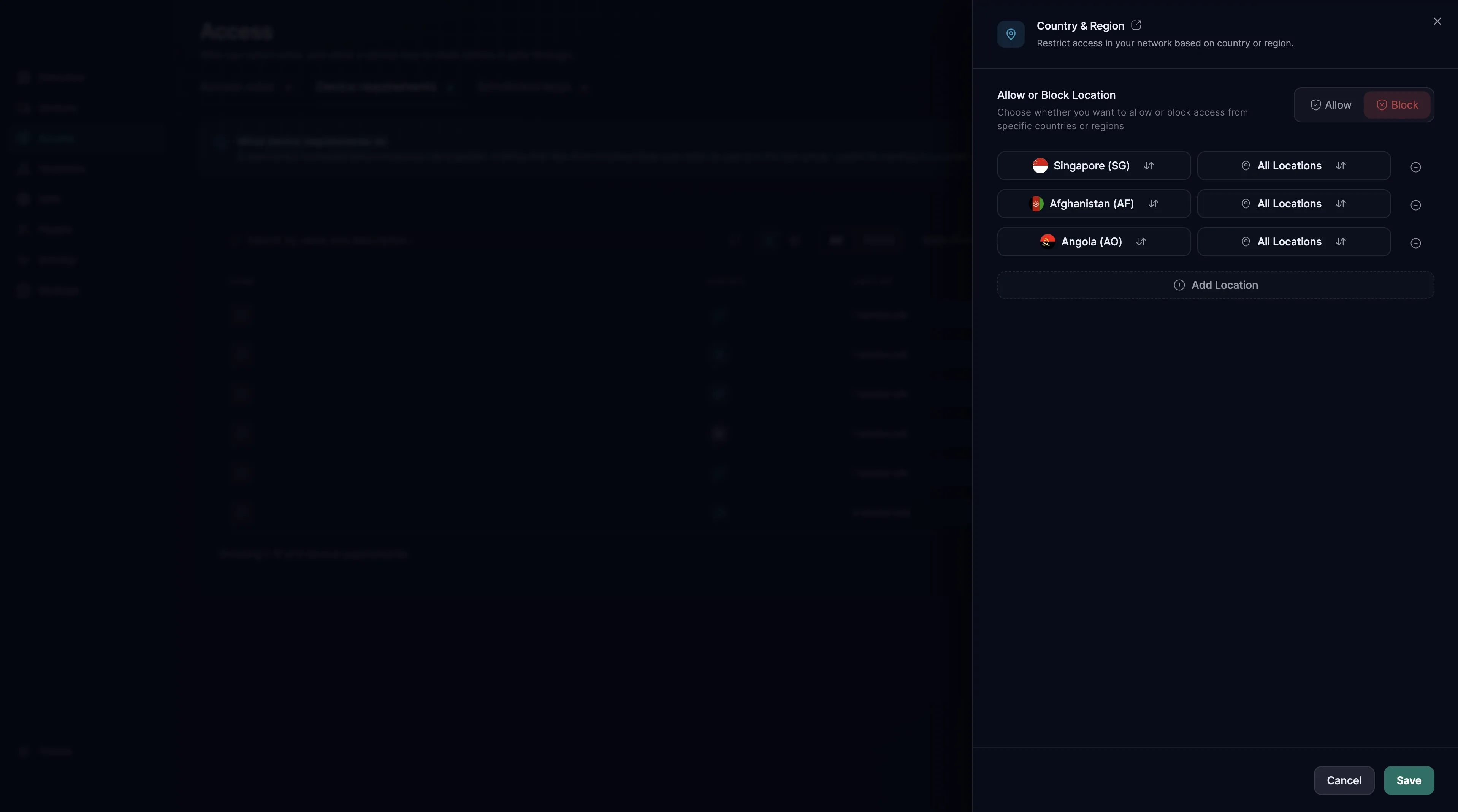
Device Network Range
A network range check compares the networks of the device's own interfaces with the list. It matches the exact prefix, not containment: an interface on 10.20.30.7/24 matches 10.20.30.0/24, but not 10.0.0.0/8. List the prefixes as the devices actually carry them. Allow passes a device on one of the listed networks; Block fails it.
Only devices running the CLI agent report their interfaces. A device running one of the SXAccess apps reports none, so it fails this check whichever action you chose.
{ "device_network_range_check": { "ranges": ["192.168.1.0/24", "10.20.30.0/24"], "action": "allow" }}Process
A process check lists executables by absolute path, one path per platform (Linux, macOS and Windows), and passes when every listed process is running. An entry without a path for the device's platform fails that device.
Only devices running the CLI agent report processes. A device running one of the SXAccess apps, on macOS, Windows, iOS or Android, always fails a process check rather than skipping it, so an access rule carrying one excludes those devices entirely.
{ "process_check": { "processes": [ { "linux_path": "/usr/local/bin/endpoint-agent", "mac_path": "/Applications/EndpointAgent.app/Contents/MacOS/agent", "windows_path": "C:\\Program Files\\EndpointAgent\\agent.exe" } ] }}Platform coverage
SXAccess Client Version, Operating System and Country & Region apply to every device. Device Network Range and Process are evaluated only for devices running the CLI agent: the SXAccess apps on macOS, Windows, iOS and Android report neither interfaces nor processes, so those devices fail both checks rather than skipping them. Keep these two checks on access rules whose sources are servers and other machines running the CLI agent.